MAHARERA aims to promote transparency, accountability, and efficiency in the real estate sector of Maharashtra. One of its primary functions is to provide an online platform for consumers to lodge complaints and track their progress. In this article, we will provide you with a comprehensive guide on how to lodge complaints and track progress with MAHARERA Complaint Registration.
Understanding the Complaint Process Before filing a complaint, it is essential to understand the complaint process. MAHARERA provides an online complaint registration system that allows consumers to lodge complaints related to real estate projects. The complaint could be related to any violation or contravention of the provisions of the Real Estate (Regulation and Development) Act, 2016.
Step-by-Step Guide to Lodge Complaints and Track Progress with MAHARERA
To lodge a complaint
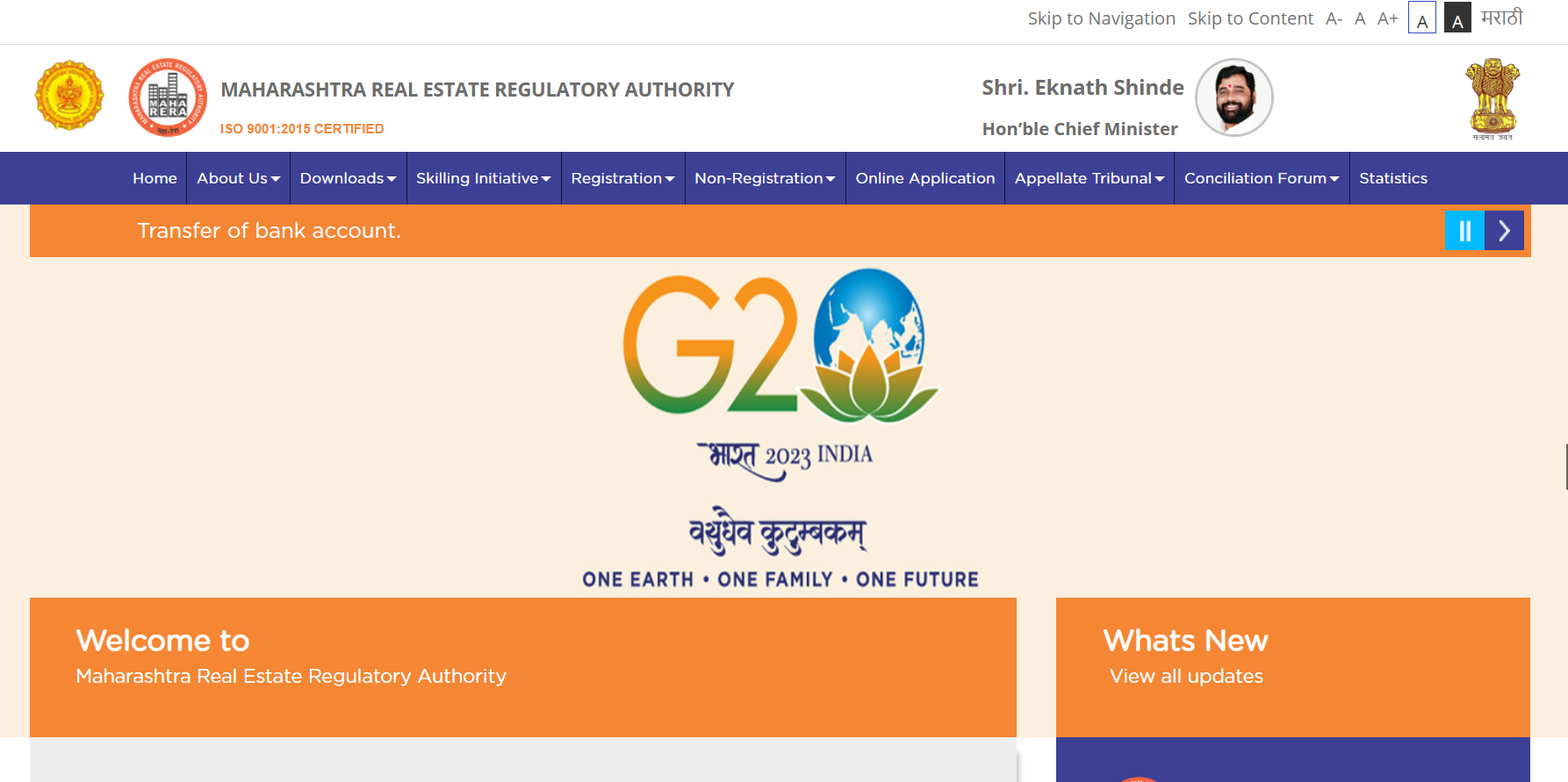
**Step 1:**Go to the official MAHARERA website (maharera.mahaonline.gov.in) and click on the "Complaint Registration" tab.
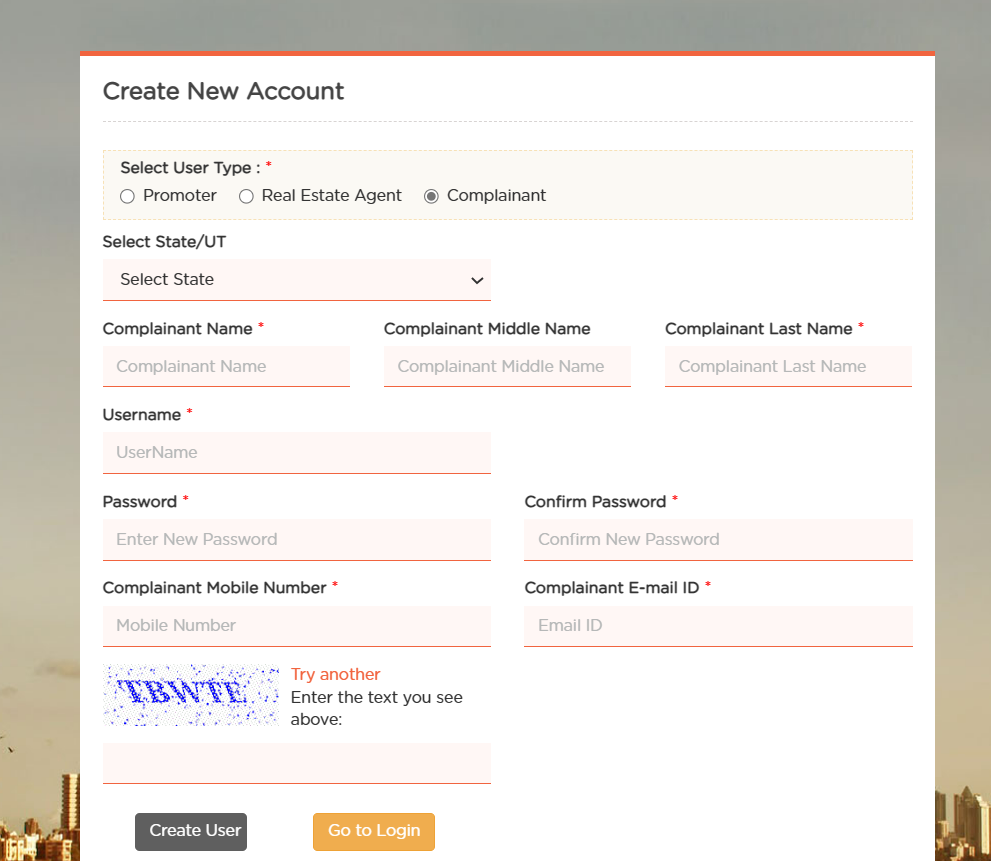
Step 2: Register on the MAHARERA portal by providing your basic details like name, email ID, and contact number.
**Step 3:**Once registered, click on the "Complaint Registration" tab again and select "New Complaint."
**Step 4:**Enter the required details like project details, promoter details, complaint details, and supporting documents.
Step 5: After submitting the complaint, you will receive a complaint number that you can use to track the progress of your complaint.
Tracking the Progress of Complaints
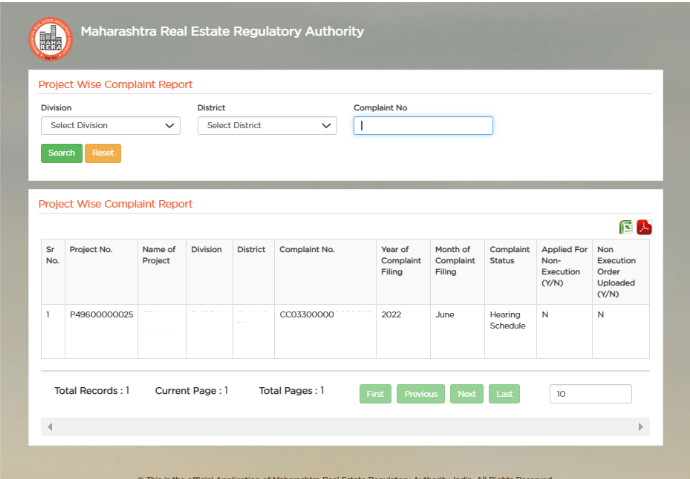
Tracking the Progress of Complaints Once you have lodged a complaint, you can track its progress on the MAHARERA website. Follow the steps given below to track the progress of your complaint:
**Step 1:**Go to the MAHARERA website and click on the "Complaint" tab.
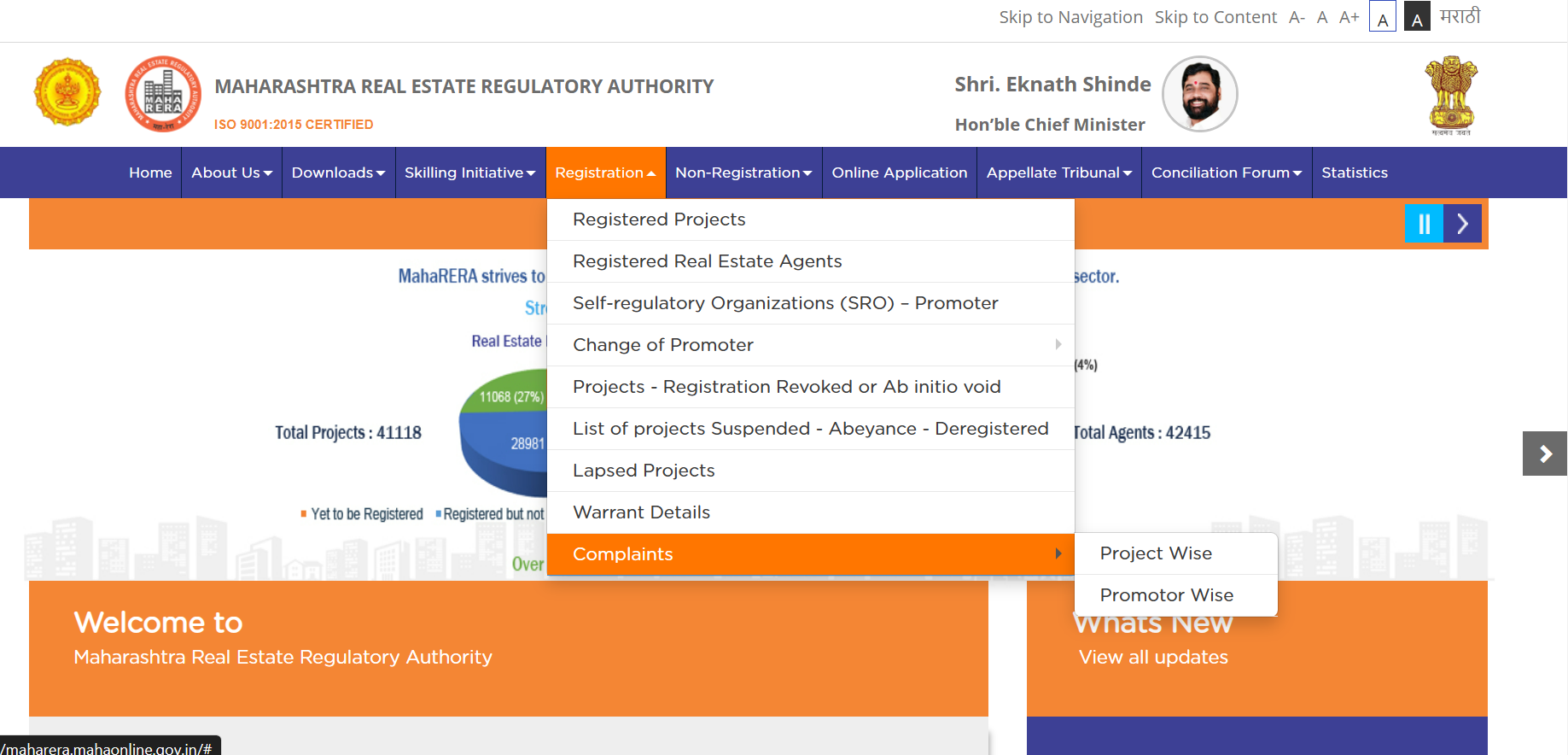
Step 2: Enter your project number and click on the "Search" button.
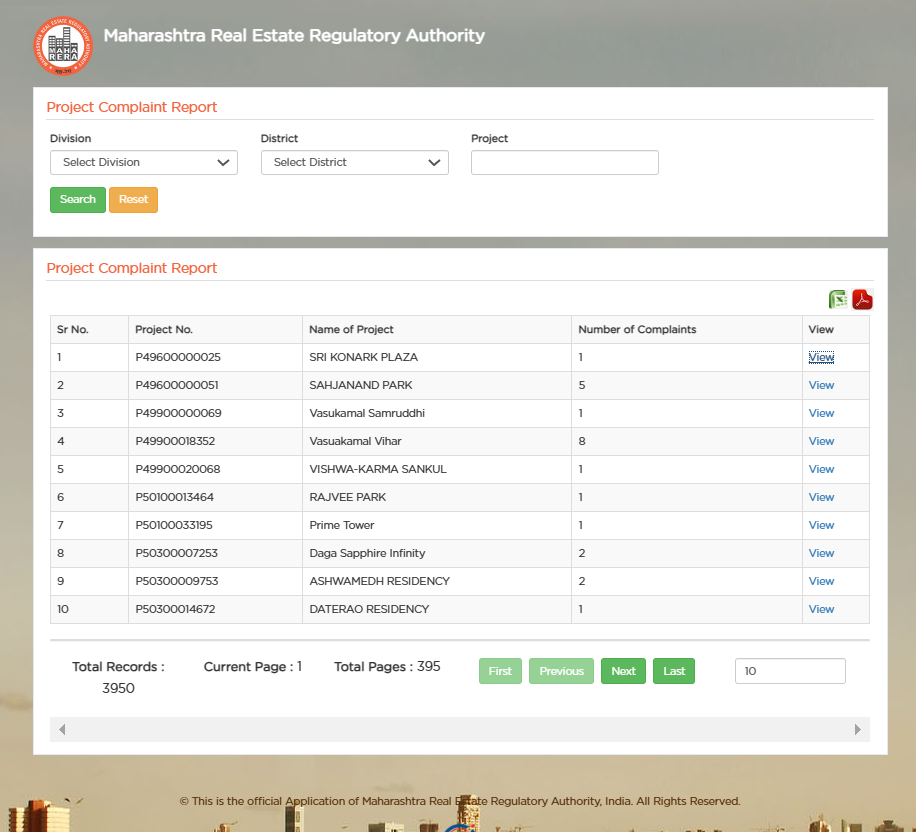
Step 3: You will be able to see the status of your complaint, including whether it has been resolved or is still under investigation.